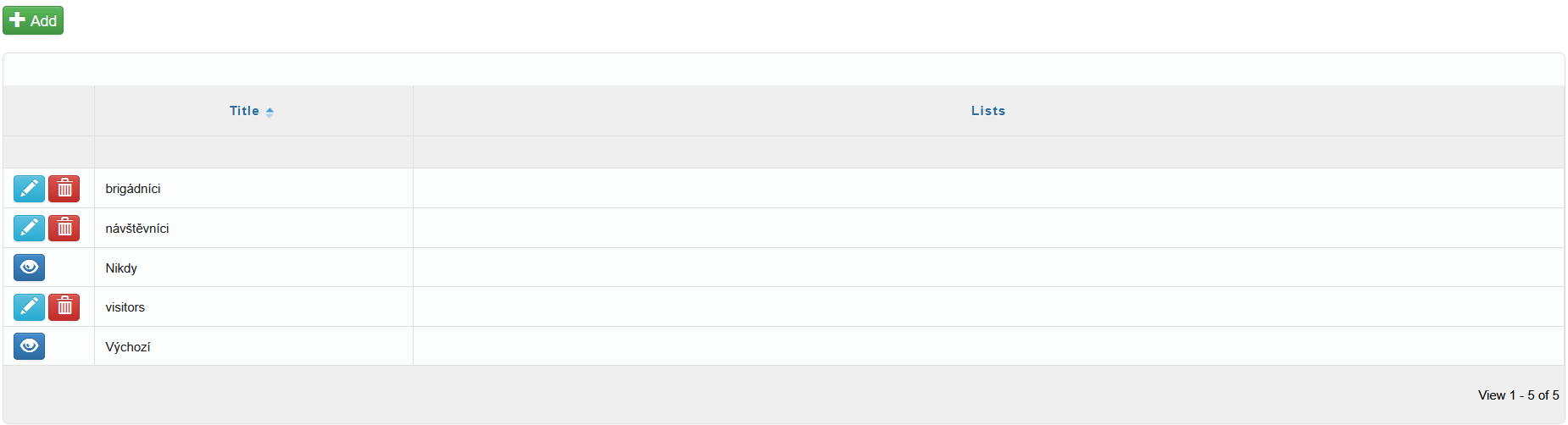
You can add new time rules to the system using the icon  in the upper-left corner of the screen. After selecting it, the Add window will open, where you enter the name of the time rule and select the days on which the rule should apply (to select a day, check the box to the left of the day name).
After clicking the icon  , a window for defining a time interval will appear. Here you specify whether the interval should apply to the whitelist or blacklist, and then either select a predefined interval from the drop-down list or define a custom interval using the icon
  .
.
Save the selected interval and then save again. The interval will appear in the table as either green blocks (whitelist) or black blocks (blacklist) on the selected days.
Individual time intervals can be deleted using the icon  , or all defined time intervals can be deleted at once using the icon
  .
.
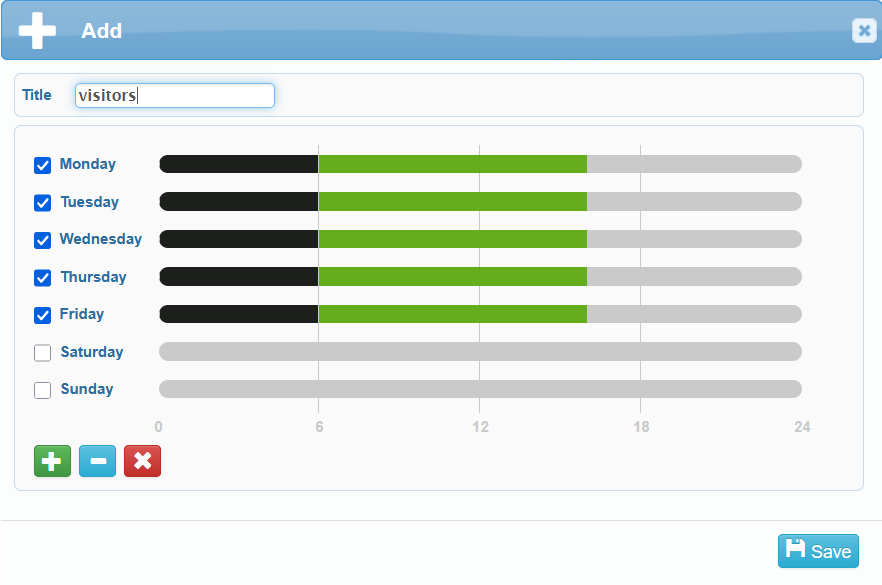
All added time rules are displayed in the overview table. Here you can edit  or delete
  individual time rules.
“Nikdy (Never)” and “Výchozí (Default)” are system-defined time rules. “Nikdy” time rule has no time intervals defined.
In “Výchozí” time rule, all weekdays are set to the whitelist, while weekends are set to the blacklist.